
Quick Answer
How should I adapt my website after Google SEO updates? Diagnose first, then improve carefully. Confirm whether an update actually affected you using Search Console data, identify which pages and queries dropped, and only then make focused improvements to content quality, search intent match, technical health, and trust signals. Do not rewrite everything in a panic.
What should I check first if traffic drops? Check the official Google update dates, then your Search Console performance. Compare clicks and impressions before and after the update, see which pages and queries dropped, and rule out other causes like seasonality or tracking problems.
Should I make quick changes after an update? No. Google itself advises against reacting to short-term fluctuations during a rollout. Wait until the rollout completes and you have enough data, then make considered changes. Panic edits make diagnosis harder.
What content quality signals should I review? Whether each page clearly answers the query, matches search intent, shows real experience and original insight, is up to date, is well structured, and comes from a credible, transparent source. Thin, generic, or copied content is the most at risk.
How can I protect my website from future update damage? Consistently create genuinely helpful content for real user problems, keep important pages updated, show real experience, build topic depth, maintain technical health, and follow official Google guidance rather than chasing rumours.
Introduction
A Google update lands, your traffic drops, and the temptation is to tear everything apart and rebuild it overnight. That is almost always the wrong move. Panic changes make it harder to tell what caused the drop and what, if anything, is fixing it.
This guide gives you a calm, structured way to adapt your website after Google Search updates, using the real, confirmed 2026 update history and Google’s own guidance. It shows you how to diagnose whether an update actually affected you, how to improve the right things, and how to build a site that is more resilient to future updates. No promises of recovery, because no honest guide can make them, and no fake numbers. Just a practical process grounded in what Google actually says and does.
One honest note up front. Recovery after a genuine content improvement can take time, sometimes weeks or months, and it is never guaranteed. Google does not promise a timeline, and neither will this guide. What you can control is the quality and helpfulness of your site, which is exactly what these updates reward over time.
What Are Google SEO Updates?
Google SEO updates are changes to how Google’s systems evaluate and rank content. Google makes thousands of changes a year, but a handful are large enough to be named and confirmed publicly, and those are the ones that cause noticeable ranking movement.
There are a few main types. Core updates are broad recalibrations of how Google weighs quality, relevance, and helpfulness across the whole web. Spam updates are narrower and target sites using manipulative tactics that break Google’s spam policies, such as link schemes and scaled content abuse. There are also more focused updates, such as ones affecting Google Discover.
2026 has already been an active year. Confirmed on Google’s Search Status Dashboard, there was a Discover-focused core update in February, a very fast spam update in March, a broad core update from late March into April, a second broad core update from late May into early June, and a further spam update in June. Google has also confirmed that smaller, unannounced core updates run continuously between the big named ones, so that movement can happen at any time.
The key point is that these updates change the rules of evaluation. Your page did not necessarily get worse. The way Google measures it may have changed.
Why Google Updates Affect Website Rankings
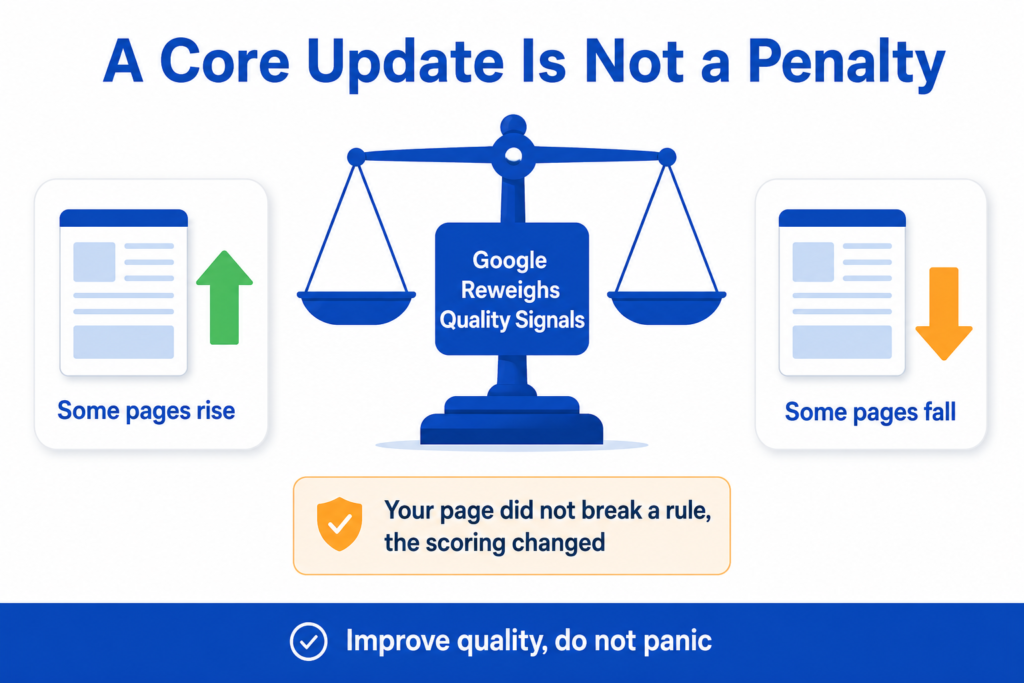
Updates affect rankings because they change how Google scores the pages competing for each Search. A core update, in particular, is a recalibration of quality signals, not a penalty aimed at your site.
This matters for how you react. When rankings drop after a core update, it does not mean you broke a rule or got a manual penalty. It means Google reassessed quality across the web, and other pages are now judged more relevant for those searches. Some pages rise and some fall in the same update.
It also means you can lose traffic without changing anything, simply because competitors improved or because the bar moved. A page that was good enough last month might now be outranked by a page that answers the question better. That is why the response is usually to improve genuinely, not to guess at what you did wrong.
Spam updates are different. They target manipulative tactics and policy violations. If your drop lines up with a spam update, the question is whether something on your site breaches Google’s spam policies, which is a different diagnosis from a core update quality reassessment.
How to Know If a Google Update Affected Your Website
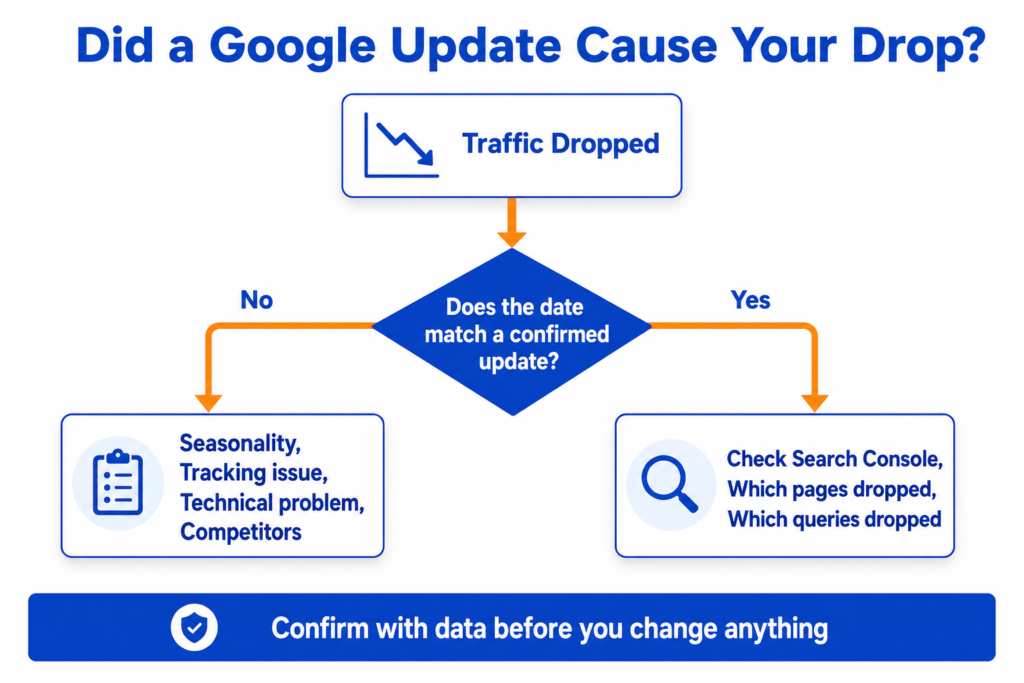
Before you change anything, confirm whether an update actually caused your drop. Not every traffic drop is an update, and assuming it is leads to fixing the wrong thing. Work through these checks.
Check official Google update dates. Look at Google’s Search Status Dashboard for confirmed update dates. Compare them with when your traffic changed. If your drop does not line up with a confirmed update, the cause may be something else.
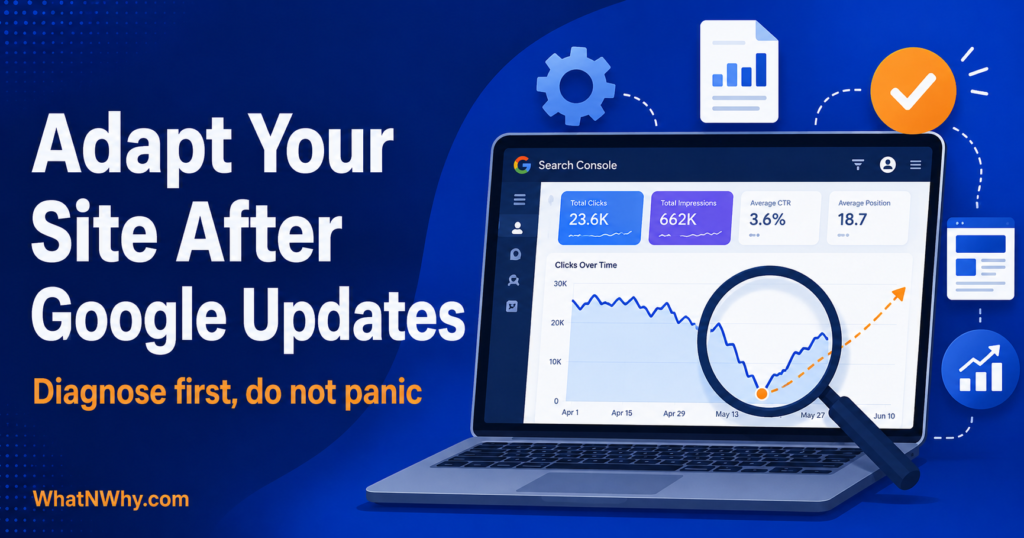
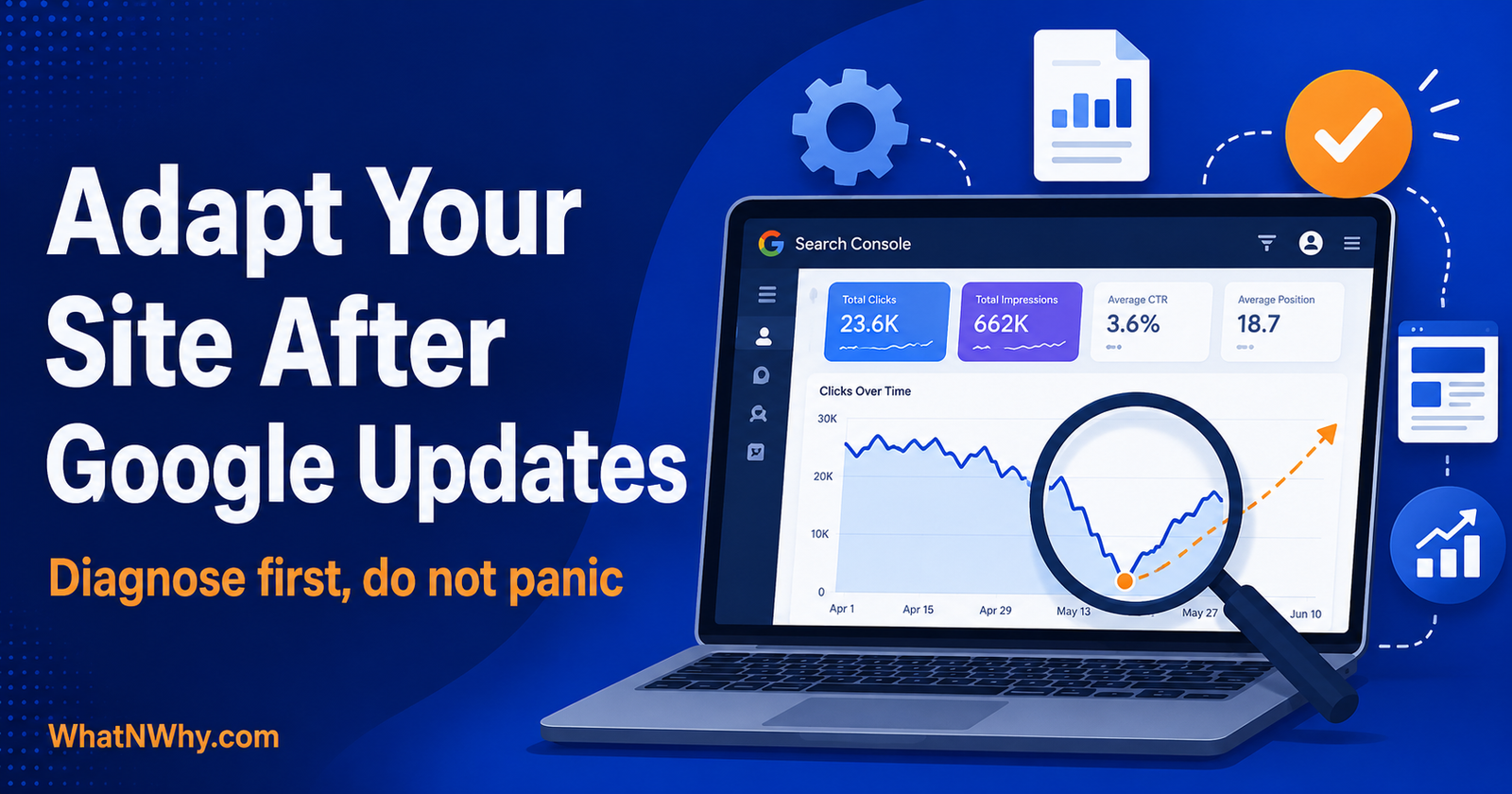
Check Search Console performance. Google Search Console is your most reliable source. Look at the Performance report for changes in clicks and impressions around the update dates.
Compare clicks and impressions. A drop in both often points to lost visibility. A drop in clicks but not impressions can point to lower positions or changes in the results page, such as more AI answers. That second pattern is increasingly common, and optimising your posts for AI Overviews is a different job from fixing a ranking drop.
Check which pages dropped. Identify the specific pages that lost visibility. Updates often hit certain pages or sections rather than the whole site evenly.
Check which queries dropped. See which searches you lost. This tells you which topics and intents were affected.
Compare organic Search with other channels. If only organic Search dropped while direct and social held steady, that points more toward a Search-specific cause.
Check if seasonality could explain the drop. Some drops are seasonal. Compare with the same period in previous months or the previous year, where you can.
Check if tracking changed. Rule out a broken tag, a tracking change, or an analytics issue before blaming an update.
Check if competitors gained visibility. If the same competitors now consistently outrank you, study what they do better. The update may have rewarded them rather than punished you.
Check for manual actions or security issues. In Search Console, check for any manual action or security issues, which are separate from algorithmic updates and need their own fix.
Do not claim an update hurts you without this evidence. A confident diagnosis based on data beats a panicked guess every time.
How to Adapt Your Website After Google SEO Updates in 2026
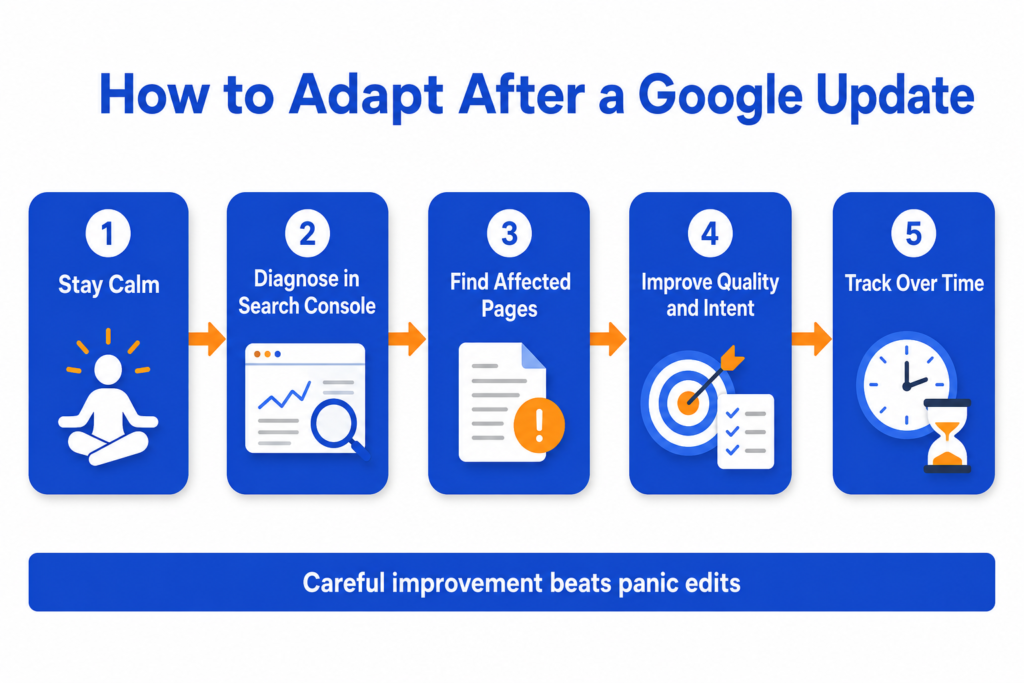
Once you have diagnosed the situation, here is a careful, step-by-step way to adapt. Follow it in order, and resist the urge to skip to rewriting everything.
Step 1: Do Not Panic or Change Everything at Once
The single most important step. Google advises against reacting to short-term fluctuations during a rollout, and changing everything at once makes it impossible to tell what helped. Stay calm, and change things deliberately.
Step 2: Check Google Search Console Data
Base your decisions on Search Console, not just Analytics traffic. Look at clicks, impressions, average position, and which pages and queries moved. This is your evidence.
Step 3: Compare Traffic Before and After the Update
Set a clear baseline. Compare the weeks before the update started with the period after it completed, leaving a buffer of about a week after completion, so you are looking at settled data, not rollout noise.
Step 4: Identify Which Pages Lost Visibility
List the specific pages that dropped. Group them, because patterns matter. If all your old how-to posts dropped, or all your thin city pages, that points to a specific problem to fix.
Step 5: Review Search Intent Match
For each affected page, ask whether it truly matches what the searcher wants. Search the query yourself and look at what now ranks. If the winning pages answer a different need or answer it better, your intent match may be off.
Step 6: Improve Weak or Thin Content
Strengthen your weakest affected pages first. Add genuine depth, real examples, clearer answers, and original insight. Thin, generic content is the most exposed in a quality reassessment, so this is often where the biggest gains are. Our on page SEO checklist covers every element worth reviewing when you rewrite a page.
Step 7: Strengthen Experience and Trust Signals
Show real experience and make it clear who is behind the content. Add or improve author information, a clear About page, accurate details, and genuine proof. Google’s quality guidance leans heavily on experience, expertise, authoritativeness, and trust.
Step 8: Check Technical SEO Problems
Rule out technical issues that could be holding pages back, such as indexing problems, slow pages, or broken links. Technical health matters, though it cannot rescue weak content on its own. Why a page can be indexed and still not rank covers the difference, which matters here because the two problems need completely different fixes.
Step 9: Review Internal Links and Site Structure
Make sure your important pages are well-linked and easy to find. Strengthen internal links between related content, and connect supporting posts to your main pages so both readers and Google can navigate your site.
Step 10: Clean Up Low Quality or Duplicate Pages
Review thin, duplicate, or low-value pages. Improve them where you can. Only remove or noindex a page when there is a strong reason, and never delete in bulk based on panic.
Step 11: Update Content That Is Outdated
Refresh pages with outdated information, old examples, or stale advice. Accurate, current content is easier for Google and readers to trust. Some topics need this refresh far less often than others, and knowing which of your topics are genuinely evergreen tells you where to spend the effort.
Step 12: Track Recovery Carefully
Keep a simple log of what you changed and when. Then watch Search Console over the following weeks and months. Recovery, if it comes, often aligns with recrawling and later updates, and it takes patience.
What to Do If Website Traffic Dropped After a Google Update
If your traffic dropped and you have confirmed that an update is the likely cause, here is how to respond without making things worse.
Wait for enough data before making big changes, ideally until the rollout has completed and settled. Group affected pages by type, so you can see patterns rather than fixing pages one at a time at random. Review intent match for those pages, since a mismatch is a common cause. Improve your weakest pages first, where the clearest problems usually are.
Merge overlapping pages where it makes sense, so you have one strong page instead of several thin ones competing with each other. Update outdated information. Add original examples and first-hand experience, which set your content apart from generic alternatives. Add clearer answers near the top of affected pages, so both readers and search engines quickly see the value. Improve internal links to and from affected pages. Fix any technical issues you found. Remove or noindex pages only when there is a strong, specific reason. And track every change in a simple log so you can learn what works.
Do not expect a fast recovery. Google has said meaningful content improvements can be recognised between updates, not only at the next big one, but the timeline is not fixed and can run from weeks to months. Consistency is what pays off.
Google Core Update Recovery Checklist
Core updates are about quality reassessment, so recovery focuses on genuinely improving quality.
• Confirm the drop lines up with a core update using Search Console and the update dates.
• Wait until the rollout completes before making major changes.
• Group affected pages and look for patterns.
• Review search intent match for the biggest losers.
• Improve thin or generic content with depth, examples, and original insight.
• Strengthen experience and trust signals, including clear authorship.
• Improve internal linking to your best content.
• Update outdated pages.
• Merge overlapping pages where useful.
• Track changes and watch results over weeks and months.
Google Spam Update Recovery Checklist
Spam updates target policy violations, so recovery focuses on finding and fixing anything that breaches Google’s spam policies.
• Confirm the drop lines up with a spam update, not a core update.
• Review Google’s spam policies and check your site against them honestly.
• Look for manipulative link building, such as bought or spammy backlinks, and address it.
• Look for scaled, low-value, or auto-generated content made mainly to rank.
• Check for cloaking, hidden text, or other deceptive tactics.
• Remove or fix content and links that breach the policies.
• Check Search Console for any manual action that needs a reconsideration request once fixed.
• Rebuild with genuinely helpful content and clean, earned links.
• Be patient, since recovery from spam issues can take time and is not guaranteed.
Content Quality Checks After Google Updates
Content quality is usually the heart of a core update response. Run affected pages through these checks.
• A clear answer to the query, ideally near the top.
• A genuine match to search intent.
• Original insight that is not just a rewrite of what already ranks.
• Real examples or first-hand experience.
• Updated, accurate information.
• A useful, logical structure.
• Strong, descriptive headings.
• Clear author or brand credibility.
• Trust signals, such as transparency about who you are.
• No copied content.
• No generic AI filler added to fill space.
• No keyword stuffing.
• No fake or overstated expertise.
• Helpful images or diagrams where they genuinely aid understanding.
Titles and descriptions are part of this review too. Check how yours look with our meta title and description preview tool before you republish.
A small business blog losing traffic on old how-to articles, for example, often needs those articles rewritten with clearer answers, current information, and real experience, rather than deleted.
Technical SEO Checks After Google Updates
Technical problems can hold pages back, so rule them out. Remember that fixing technical issues cannot save weak content by itself, but weak technical health can undermine good content.
• Indexing issues, so your important pages are actually indexed.
• Crawl errors that stop Google from reaching pages.
• Canonical tags pointing to the correct pages.
• Duplicate pages competing with each other.
• Slow pages, especially on mobile.
• Mobile usability problems.
• Broken internal links.
• Redirect chains that waste crawl budget and slow users.
• Structured data errors.
• Sitemap problems, such as missing or wrong URLs.
• Robots.txt mistakes that accidentally block important pages.
• Thin tag or archive pages that add little value and may be better noindexed.
Local Business SEO Checks After Google Updates
Local businesses have extra signals to check, since local visibility depends on more than your website alone.
• Google Business Profile accuracy, fully completed and up to date.
• Service page quality, with genuinely useful information on each service.
• Location page uniqueness, so city or area pages are not near duplicates of each other.
• Reviews, including recent, genuine ones and your responses.
• Local intent, so your pages clearly serve the local searches you want.
• Consistent name, address, and phone details everywhere they appear.
• Helpful local content that genuinely serves your area.
• Clear contact details.
• Real photos where they help, rather than only generic stock images.
A local service website losing visibility on its city service pages, for instance, often has thin, near-identical location pages that need genuine, distinct local content.
Ecommerce SEO Checks After Google Updates
Ecommerce sites have their own common weak points, especially around thin or duplicated pages.
• Category page quality, with useful content, not just a grid of products.
• Product page uniqueness, avoiding identical manufacturer descriptions across many pages.
• Product availability, so you are not ranking pages for out-of-stock items poorly.
• Price and shipping clarity.
• Review content that adds genuine value.
• Product schema that is correct and not misleading.
• Filter and faceted navigation that does not create endless thin, duplicate URLs.
• Duplicate product descriptions reworked into unique, useful content where it matters.
• Thin collection pages improved or consolidated.
• Internal links between categories and helpful guides.
An ecommerce store losing traffic on thin category pages, for example, often needs real, helpful content added to those pages and its faceted navigation controlled so it does not generate duplicates.
Common Mistakes After Google SEO Updates
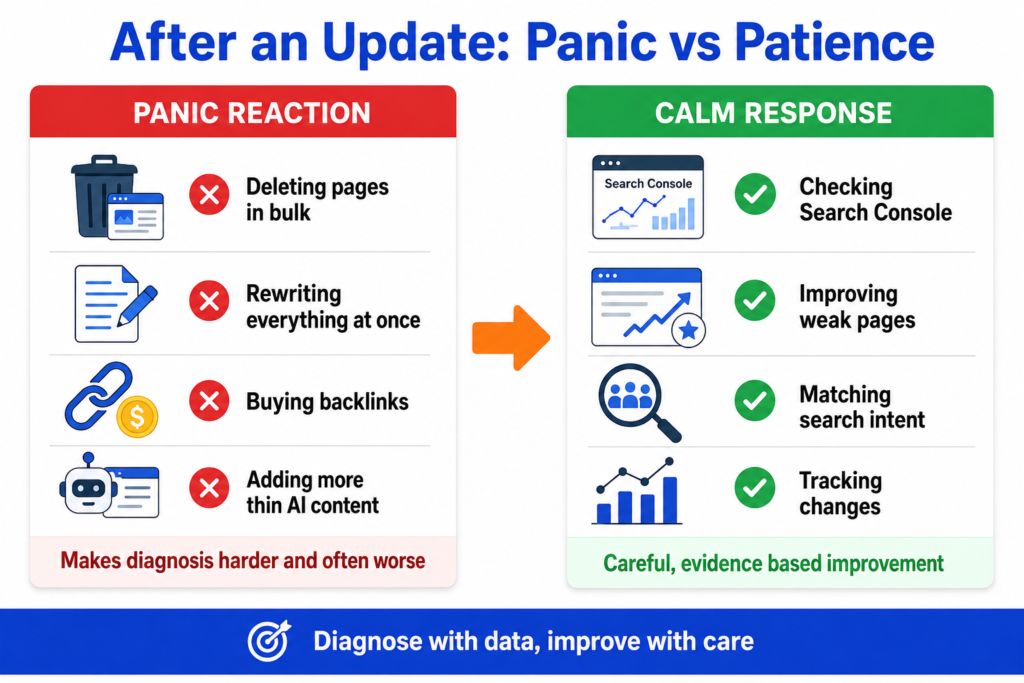
These reactions make things worse. Avoid them.
• Changing everything at once, so you cannot tell what helped or hurt.
• Deleting pages without checking the data first.
• Blaming every drop on an algorithm update, when the cause may be seasonal, technical, or tracking-related.
• Copying competitor content instead of creating something better.
• Adding more generic AI content in the hope that volume helps, which usually hurts.
• Ignoring search intent while tweaking small details.
• Ignoring technical SEO problems that hold pages back.
• Ignoring internal links and site structure.
• Ignoring brand trust and authorship signals.
• Buying spam backlinks risks a spam update or manual action.
• Over-optimising keywords until the content reads unnaturally.
• Not checking Search Console, and guessing instead.
• Expecting instant recovery and giving up too soon.
How to Build a Safer SEO Strategy for Future Updates
You cannot update proof your site completely, because the rules keep evolving. But you can make it far more resilient by aligning with what these updates consistently reward.
Write for real user problems, not just for search engines. Keep your important pages updated, so they stay accurate and useful. Use topic clusters to build genuine depth in your niche, since focused, interconnected content signals authority. The elements of a content marketing strategy covers how those clusters get planned rather than assembled after the fact. Build helpful internal links that connect related content. Show real experience wherever you can, because first-hand knowledge is hard to fake and increasingly rewarded. Avoid thin content, and use original examples that add something new. Planning that cluster ahead of time is easier with our content calendar generator.
Keep your technical health in good shape, track your important pages in Search Console, and review your content regularly rather than only after a drop. Use official Google guidance, such as Search Central and the Search Essentials documentation, as your reference. And do not chase every rumour, since much of what circulates after an update is speculation. A site built to genuinely help its audience is the most resilient kind there is.
Practical Google Update Adaptation Checklist
Work through this after any significant update.
Official update date checked against your traffic change.
Search Console reviewed for clicks, impressions, and position.
Affected pages listed.
Affected queries listed.
Seasonality checked as an alternative cause.
Tracking issues ruled out.
Search intent reviewed for affected pages.
Weak pages improved with depth and examples.
Outdated content updated.
Thin pages reviewed and improved or consolidated.
Duplicate pages reviewed.
Internal links improved.
Technical SEO checked.
Trust and authorship signals improved.
Local pages checked if relevant.
Ecommerce pages checked if relevant.
Changes documented in a simple log.
Results tracked over weeks and months, not days.
Frequently Asked Questions
Helpful Resources
Google Search Status Dashboard
Source: Google. The official record of confirmed ranking updates, including start and end dates. The first place to check whether your traffic change lines up with an update.
Google Search Central
Source: Google. The official hub for guidance on how Search works, including documentation on core updates and how to approach them.
Google Search Essentials
Source: Google Search Central. The core guidance on building a site that can appear in Search, including helpful, people-first content. A reliable foundation for quality.
Search Console Help
Source: Google. The help centre for Google Search Console, your main tool for diagnosing which pages and queries were affected by an update.
Search Quality Rater Guidelines (PDF)
Source: Google. The document Google’s raters use to judge quality, including experience, expertise, authoritativeness, and trust. Useful for understanding what high quality looks like.
Google Spam Policies
Source: Google Search Central. Google’s official spam policies, essential reading if your drop lines up with a spam update.
Conclusion
Adapting to a Google update is not about panic or clever tricks. It is about calm diagnosis and genuine improvement. Confirm whether an update actually affected you, using Search Console and the official update dates. Identify what dropped. Then improve the right things, content quality, intent match, technical health, and trust, in a considered order, and track your changes over time.
Remember what these updates reward. Core updates recalibrate quality, so the answer is to be genuinely more helpful, more experienced, and more trustworthy than the alternatives. Spam updates target manipulation, so the answer is to keep your site clean and honest. Neither rewards panic, bulk deletion, or more thin content.
Recovery takes patience and is never guaranteed, but a site built to truly help its audience is the most resilient kind through any update. If a drop has you questioning the channel itself, whether SEO is still worth it for a small business is a fair question to sit with rather than avoid. Diagnose with data, improve with care, follow official Google guidance rather than rumours, and keep making your site genuinely better. That is the strategy that holds up, update after update.