
Many businesses run email and social media as two separate worlds. One person posts on Instagram. Another sends the odd newsletter. The two never talk to each other.
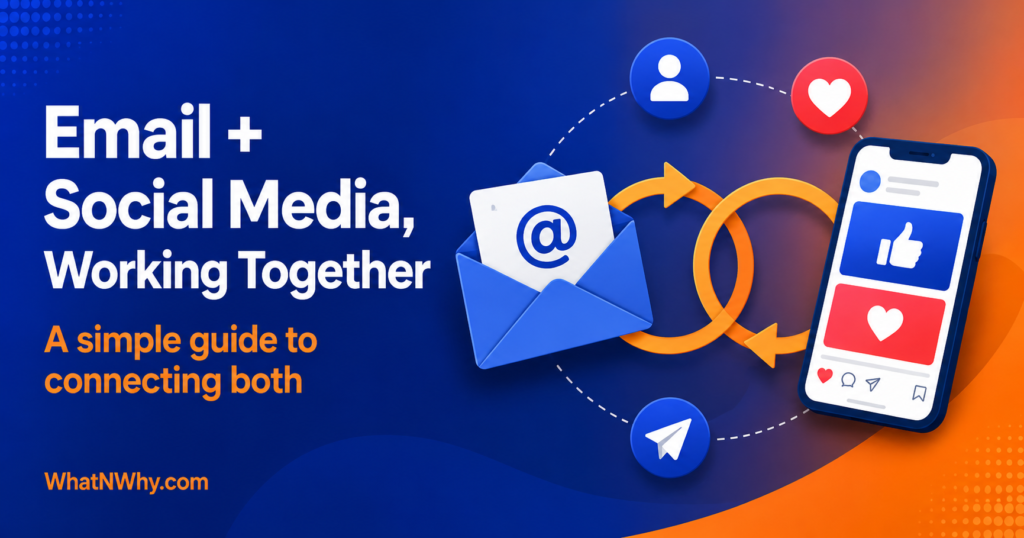
That is a missed opportunity. Email and social media are stronger together than apart. Social media helps people discover you. Email helps you build a direct relationship you actually own. When you connect them, each channel feeds the other.
This guide shows you how, step by step. It is written for beginners and busy owners. No jargon, no fake promises, just a practical plan you can start this week.
Quick Answer
To integrate email marketing with social media, you connect the two so they feed each other. First, add email signup links to your social profiles and posts. Next, offer a helpful freebie, often called a lead magnet, to turn followers into subscribers. Then use email to send people back to your social content, and use social ads to reach your subscribers again. Finally, repurpose content across both channels and track everything with clear campaign links. Always collect emails with permission-based opt-ins, never without consent.
What Does Email Marketing And Social Media Integration Mean?
Integration means the two channels work together on purpose. They share content, audiences, and goals.
On social media, you reach a wide audience and build awareness. With email, you speak directly to people who chose to hear from you. Integration connects these two jobs.
For example, a follower sees your post, clicks a link, and joins your email list. Later, your email reminds them about a new social video. That loop is integration in action.
Why Email Marketing And Social Media Work Better Together
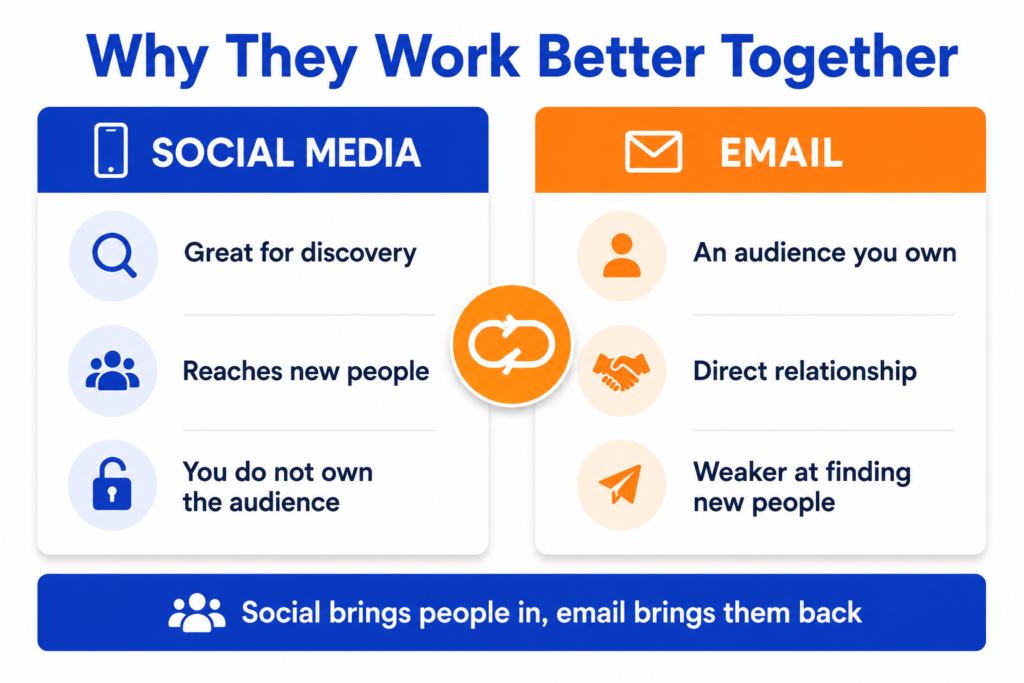
Each channel has a weakness that the other fixes.
Social media is great for discovery. New people find you every day. However, you do not own your followers. If an account gets restricted, that audience can vanish.
Email is different. Your list is an audience you own. You can reach it any time, without an algorithm deciding who sees you. Yet email is weaker at finding brand new people.
So the two balance each other. Social media brings people in. Email keeps them close and brings them back. Together they support discovery, engagement, follow-up, and long-term retention.
How To Integrate Email Marketing With Social Media Channels
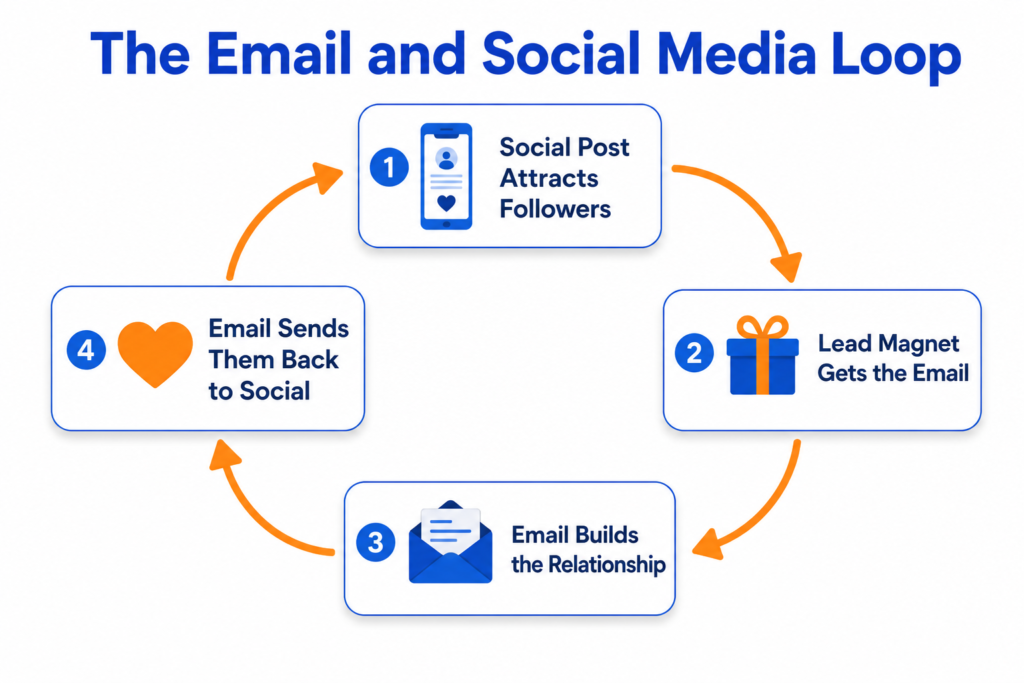
Here are the practical steps. Start with the first two, then add the rest over time.
Add Email Signup Forms To Your Social Media Profiles
Make it easy to join your list from every profile. Add a signup link to your bio, your page buttons, and your link in bio tool.
Use a clear call to action. For example, “Get our free checklist” works better than “Subscribe.”
Send that link to a simple, focused signup page. The page should load fast and ask for very little, usually just an email.
Promote Lead Magnets On Social Media
A lead magnet is a small free resource people get in exchange for their email. It gives followers a reason to subscribe.
Good lead magnets include a checklist, a short guide, a discount, a template, or a quiz result. Pick something your audience genuinely wants.
Then promote it in posts, stories, and your bio. Show the benefit clearly, and link straight to the signup page.
Turn Social Media Followers Into Email Subscribers
Do not wait for followers to find your list. Invite them often, in a natural way.
Mention your freebie in captions. Add it to your pinned post. Talk about it in videos. Remind people that email is where you share your best material.
Always use permission-based opt-ins. People must choose to join. Never add someone to a list without their consent.
Use Email To Bring People Back To Social Content
Email can drive social engagement, not just sales. Use it to point subscribers toward your best social posts.
For example, share a new video, a live session, or a community thread in your newsletter. Add social icons to every email so people can follow you too.
This keeps your social content active and helps your community grow across both channels.
Retarget Email Subscribers With Social Ads
Many ad platforms let you show ads to your own subscribers. You upload your list, and the platform matches it to accounts.
This is called a custom audience. It lets you reach engaged people again with a relevant message.
One caution here. Uploading customer data has privacy and consent implications. Only do it if your opt-ins and privacy policy allow it, and follow the rules in your own country. If unsure, ask a qualified professional. If you plan ad budgets for this, the Meta Ads Budget Calculator can help you plan spend first.
Repurpose Email Content Into Social Posts
Your best email content should not live in the inbox only. Turn it into social posts.
A useful newsletter tip can become a carousel. A customer question can become a short video. A popular email can become a whole week of posts.
This saves time and keeps your message consistent across channels. Planning this is easier with a simple calendar, and the Content Calendar Generator can help you map ideas across email and social.
Use Social Proof From Social Media In Emails
Social proof builds trust. Bring it into your emails.
For example, feature a real comment, a genuine review, or a user photo you have permission to share. Show that real people enjoy your product or service.
Only use real content, and always get permission. Never invent reviews or testimonials.
Create Campaigns That Use Both Channels Together
The biggest wins come from campaigns that run on both channels at once. Each channel plays a role.
For a launch, you might tease it on social, open signups by email, and remind people with both. The message stays consistent, but each channel does its part.
That coordination is the heart of a good cross-channel marketing strategy.
Best Platforms To Connect Email Marketing With Social Media
You do not need every tool. You need a few that work together. Here are the common types, without overpromoting any brand.
Email platforms. These send and automate your emails and store your list. Most beginners start with a simple, well-known email service.
Social platforms. These are your channels, such as Instagram, Facebook, LinkedIn, TikTok, YouTube, or Pinterest. Choose the ones where your audience actually spends time.
Landing page tools. These build your signup pages. Many email platforms include this feature already.
CRM tools. A CRM stores customer details and history. It helps you personalise messages as you grow.
Automation tools. These connect your apps so tasks happen automatically, such as adding a new subscriber to a welcome sequence.
Ad platforms. These run your social ads and custom audiences. Examples include Meta Ads and other social ad managers.
Pick tools that integrate. Simple and connected beats fancy and separate.
Email And Social Media Integration Example For A Small Business
Here is a simple, illustrative example. It is not a real case study, and it contains no invented numbers.
Imagine a small yoga studio. It posts short class clips on Instagram to attract local people. In the bio, it offers a free “Beginner’s Home Stretch Guide” as a lead magnet.
A follower taps the link and joins the email list with a clear opt-in. They receive a friendly welcome email with the guide and class times. Later, the studio emails subscribers about a new video and a members’ community.
So social media brings people in. Email keeps them engaged and invites them back. Both channels work as one system.
Email And Social Media Integration Example For Ecommerce
Here is a second illustrative example, again with no invented results.
Imagine a small skincare store. It runs a giveaway on social media where entry requires an email opt-in and consent. New subscribers get a welcome email with a first order discount.
Next, the store retargets those subscribers with social ads, but only within its consent and privacy rules. It also repurposes its most popular email tip into a short reel.
So the store grows its list, welcomes buyers, and reaches them again on social. The two channels support each other across the customer journey.
How To Use Social Media To Grow Your Email List
Social media is one of the best places to grow a list, if you do it with consent. Here are practical ideas.
Offer a lead magnet, such as a checklist, guide, template, or discount. Run a giveaway that requires a permission-based opt-in. Host a webinar or live session and collect signups. Open a waitlist for a new product. Use a quiz where people opt in to get their result. Share a downloadable resource in your bio.
In every case, people must choose to join. Make the value clear, keep the form short, and confirm consent. Never buy lists or add people without permission.
How To Use Email Marketing To Improve Social Media Results
Email does not only sell. It can lift your social results too.
Use email to announce a new post, video, or live event. Ask subscribers to join a community thread or group. Share behind-the-scenes updates that push people to follow you. Invite your most loyal readers to comment or share.
You can also retarget subscribers with social ads for launches and announcements. Your email list is often your warmest audience, so it responds well.
In short, email activates the people most likely to engage on social.
How To Track Email And Social Media Performance Together
If you cannot measure it, you cannot improve it. So track both channels together, not separately.
Watch these key metrics:
- Email subscribers gained from social media
- Landing page conversion rate
- Email open rate and click rate
- Social engagement, such as saves, shares, and comments
- Retargeting performance from your ads
- Conversions from each channel
- Cost per lead, and revenue where relevant
To connect the dots, use UTM tracking. A UTM is a small tag added to a link that tells your analytics where a visitor came from. Give each campaign a clear, consistent name so your reports stay tidy.
For setting up proper conversion tracking, our guide on PPC conversion tracking explains the basics that apply here too. To plan how much to spend across channels, the Marketing Budget Calculator can help.
Common Mistakes When Connecting Email Marketing And Social Media
Avoid these common errors. Each one quietly wastes effort.
- Sending followers to a weak or slow signup page
- Offering no clear reason to subscribe
- Skipping permission-based opt-ins
- Using the same message on every channel
- Ignoring tracking, so you never learn what works
- Never segmenting your email list
- Running ads with no follow-up email sequence
- Not testing subject lines and ad creative
Fix these one at a time. Small improvements add up.
Simple Integration Plan For Beginners
You do not need to do everything at once. Here is a simple 30-day plan.
Week 1: Set the foundation. Choose one lead magnet. Build one simple signup page. Add the link to your social bios.
Week 2: Invite your followers. Promote your lead magnet in posts and stories. Set up a friendly welcome email with a clear opt-in.
Week 3: Connect the loop. Add social icons to your emails. Repurpose one email into social posts. Plan a small cross-channel campaign.
Week 4: Track and improve. Add UTM tags to your links. Review your signups and engagement. Keep what works, and adjust what does not.
Start small. Consistency matters more than doing everything at once.
FAQs
Conclusion
Email and social media are not rivals. They are partners. Social media helps people find you. Email keeps them close and brings them back. Together, they form a simple, powerful system.
You do not need to do it all today. Pick one step and start. Add a lead magnet to your bio, or send one email that points to your best social post. Then build from there.
Always collect emails with consent, track what works, and improve slowly. Do that, and both channels will support each other for the long term.
Helpful Resources
Google Analytics Help
Source: Google
Official help for GA4, useful for tracking signups, traffic sources, and conversions from both email and social in one place.
Campaign URL Builder
Source: Google
Google’s free tool to create UTM-tagged links, so you can see exactly which social posts and emails drive your signups.
Meta Business Help Center
Source: Meta
Official guidance for custom audiences and social ads, useful when you retarget email subscribers within your consent rules.
GDPR Official Information (europa.eu)
Source: European Union
The official source on data protection rules. Useful for understanding consent and privacy when you collect emails or upload data. Follow the rules in your own country, and consult a professional if unsure.